

Table Of Contents
A sitemap helps search engine crawlers discover the important URLs on your website more efficiently.
In Next.js App Router, you can generate a sitemap automatically using sitemap.ts.
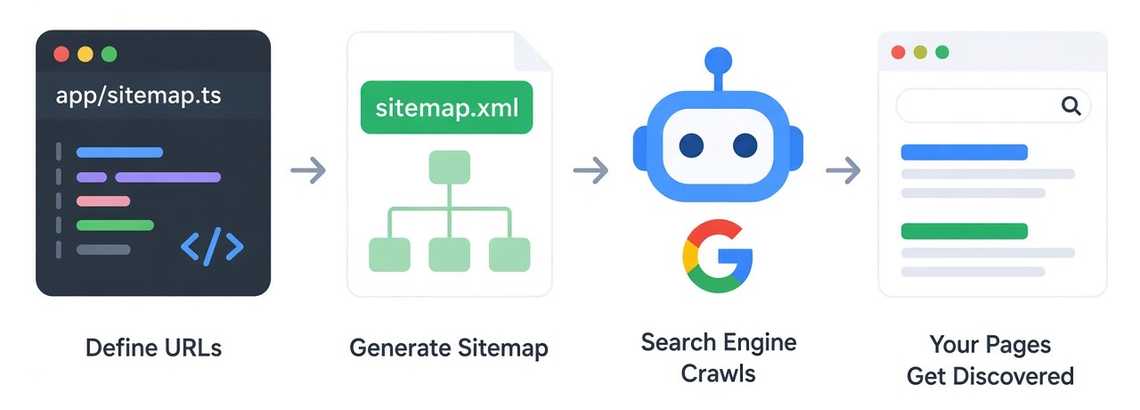
1. Create a Sitemap
Create:
app/└── sitemap.ts
Then export a function that returns your website URLs:
import type { MetadataRoute } from 'next'export default function sitemap(): MetadataRoute.Sitemap {return [{url: 'https://example.com',lastModified: new Date(),},{url: 'https://example.com/about',lastModified: new Date(),},{url: 'https://example.com/blog',lastModified: new Date(),},]}
Next.js automatically generates:
https://example.com/sitemap.xml
2. Sitemap with Dynamic Data
For an ecommerce website, URLs usually come from a database.
export default async function sitemap() {const products = await getProducts()return products.map((product) => ({url: `https://example.com/products/${product.slug}`,lastModified: product.updatedAt,}))}
Now when a new product is added, the sitemap can include it automatically.
Database → API → Sitemap → Search Engine
3. Useful Sitemap Properties
Each URL can contain additional information:
{url: 'https://example.com/blog',lastModified: new Date(),changeFrequency: 'weekly',priority: 0.8,}
Available properties include:
urllastModifiedchangeFrequencypriorityalternatesimagesvideos
4. Sitemap for i18n
If your website supports multiple languages, you can define language alternatives:
{url: 'https://example.com/vi/about',alternates: {languages: {vi: 'https://example.com/vi/about',en: 'https://example.com/en/about',},},}
Next.js generates the corresponding hreflang information in the sitemap.
This is especially useful for websites using Next.js + next-intl.