Home
Next.js
Next.js: Fetching, Mutating, Caching & Revalidating Data
Daniel Nguyen
Daniel Nguyen
September 24, 2026
1 min

Table Of Contents

01
1. Fetching Data — Getting the data
02
2. Caching — Why keep the result?
03
3. Mutating Data — Changing the data
04
4. The problem: the cache may now be outdated
05
summary

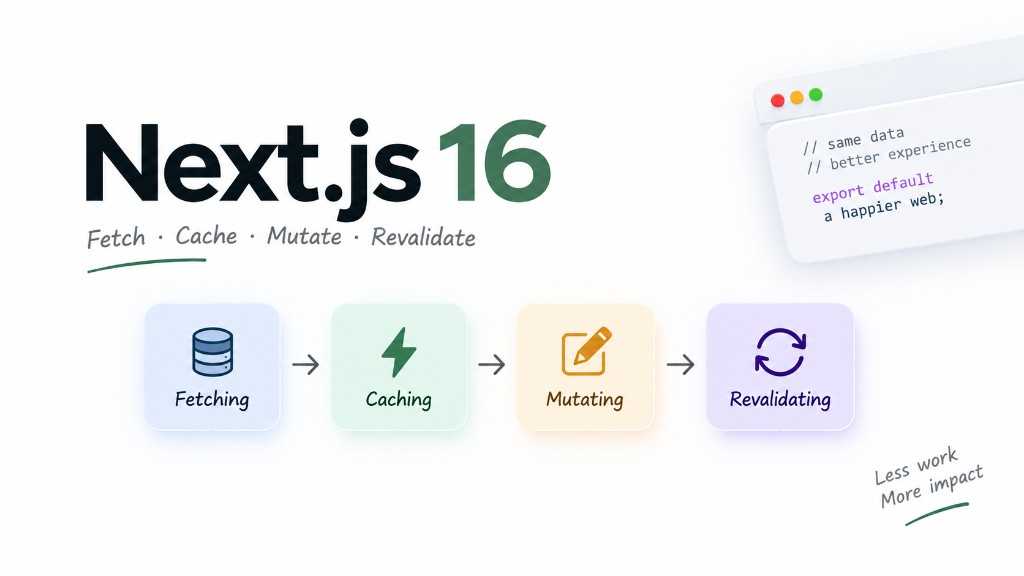
When learning the Next.js App Router, there are four concepts that can easily get mixed up: Fetching Data, Mutating Data, Caching, and Revalidating. They sound like four completely different things, but in a real application they are really just parts of the same flow: get data → show data → change data → refresh data.

Next.js 16: Fetch, Cache, Mutate, Revalidate

1. Fetching Data — Getting the data

Imagine our /plants page needs to display all plants from the database. With a Server Component, we can fetch from an API

export default async function PlantsPage() {
const res = await fetch("https://api.example.com/plants")
const plants = await res.json()
return <PlantList plants={plants} />
}

2. Caching — Why keep the result?

Let’s say our plant catalog doesn’t change every few seconds. If 100 people open /plants, we probably don’t want to run the same database query 100 times for no reason.

That’s where caching comes in. With Cache Components, we can cache the function that gets our plants:

export async function getPlants() {
"use cache"
return db.plant.findMany()
}

Now Next.js can reuse the cached result instead of doing the same work again every time.

3. Mutating Data — Changing the data

Fetching is about reading data. Mutation is about changing it.

For example, an admin creates a new plant:

"use server"
export async function createPlant(formData: FormData) {
const name = formData.get("name")
await db.plant.create({
data: {
name: name as string,
},
})
}

Then we can use that action from a form:

<form action={createPlant}>
<input name="name" />
<button>Create Plant</button>
</form>

This is where Server Functions / Server Actions become really convenient. You don’t always need to build a separate API route just to handle a simple form submission.

4. The problem: the cache may now be outdated

Let’s use a simple plant shop as an example.

Suppose our database initially contains:

Monstera
Philodendron
Snake Plant

We cache that list. Then an admin adds:

Ficus

The database is now up to date, but the cached result may still look like this:

Monstera
Philodendron
Snake Plant

So the user may still see old data.

We need to tell Next.js:

“This cached data is outdated. Refresh it.”

That is basically what revalidation is about.

summary

API / FunctionPurposeWhen to useQuick example
fetch()Fetch data from APIGet data from an external APIawait fetch(url)
Promise.all()Fetch multiple sources in parallelAvoid sequential requestsawait Promise.all([a(), b()])
use cacheMark a function/component as cacheableCache data or rendered output'use cache'
cacheLife()Define how long cached data stays validTime-based revalidationcacheLife('hours')
cacheTag()Attach a tag to cached dataInvalidate related data latercacheTag('plants')
updateTag()Immediately expire a cache tagUser should see their own changes immediatelyupdateTag('plants')
revalidateTag()Revalidate data by tagRefresh shared cached datarevalidateTag('plants', 'max')
revalidatePath()Revalidate a specific routeA particular page needs fresh datarevalidatePath('/plants')
redirect()Redirect after a mutationCreate/update then go to another pageredirect('/plants')
refresh()Refresh the client routerRefresh UI from current routerefresh()

Tags

#NextJS

Share

Daniel Nguyen

Daniel Nguyen

Frontend Developer

Frontend developer specializing in React, Next.js, and JavaScript. Writing practical guides on modern web development at Dev98.

Expertise

React
Next.js
JavaScript
TypeScript
Python

Social Media

githublinkedinyoutubewebsite

Related Posts

Next.js
GSAP in Next.js: A Practical Guide
September 29, 2026
1 min
Dev98

Dev98

React · Next.js · Web development