


LangChain is an open-source framework for building applications powered by LLMs. It provides reusable components for common AI tasks, so instead of implementing everything from scratch, we can simply connect the components we need.
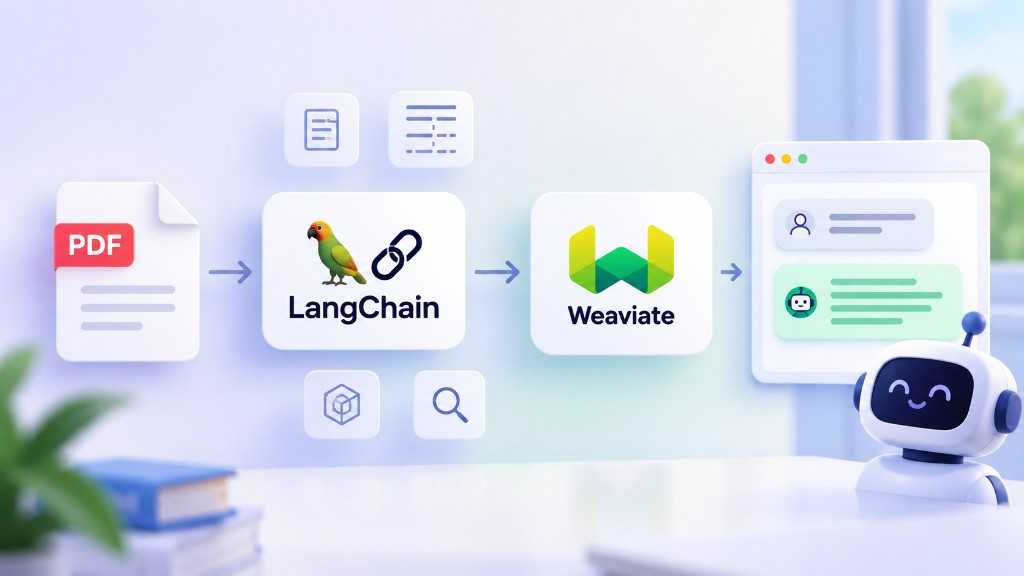
For our Chat with PDF application, we’ll mainly use LangChain for four things: loading documents → chunking → storing embeddings → retrieving relevant documents.
1. Document Loader
First, we need to read the content from our PDF. LangChain provides many Document Loaders for different data sources. For PDFs, we can use PyMuPDFLoader:
from langchain_community.document_loaders import PyMuPDFLoaderloader = PyMuPDFLoader("docs/monopoly.pdf")documents = loader.load()
The result is a list of Document objects. Each document contains page_content for the actual content and metadata for information such as the file path and page number.
2. Chunking
PDFs can be quite large, so we need to split them into smaller chunks before generating embeddings. LangChain provides several text splitters. In this project, we’ll use RecursiveCharacterTextSplitter:
from langchain_text_splitters import RecursiveCharacterTextSplittertext_splitter = RecursiveCharacterTextSplitter(chunk_size=700,chunk_overlap=100,)chunks = text_splitter.split_documents(documents)
The nice thing about split_documents() is that it splits the content while keeping the original document metadata.
3. Embeddings + Weaviate
Once we have the chunks, we need to generate embeddings and store them in a Vector Database so we can search by semantic meaning.
We already worked with Weaviate in the previous section. This time, we can use Weaviate through LangChain:
from langchain_weaviate import WeaviateVectorStorevectorstore = WeaviateVectorStore.from_documents(documents=chunks,embedding=embeddings,client=client,index_name="PDFDocuments",)
Here, LangChain acts as the integration layer, while Weaviate remains our Vector Database. LangChain gives us a common interface, so we can work with the vector store without dealing with all of its low-level details.
4. Retriever
Finally, we need to find the chunks that are most relevant to the user’s question. LangChain provides a Retriever for this:
retriever = vectorstore.as_retriever(search_kwargs={"k": 4})documents = retriever.invoke("How much money does each player start with?")
The Retriever searches Weaviate and returns the relevant documents. We can then pass these documents together with the user’s question to an LLM to generate the final answer.
So the data pipeline for our Chat with PDF application looks like this:
↓Document Loader↓Chunking↓Embeddings + Weaviate↓Retriever↓LLM↓Answer
That’s basically how LangChain helps us connect the different pieces together. Next, we’ll implement each step and build the actual Chat with PDF application.
