

Table Of Contents
In React, if a component throws during render and nothing catches it, React can unmount the whole tree and users may see a blank screen.
Error Boundaries prevent that by catching render-time errors and showing a fallback UI instead.
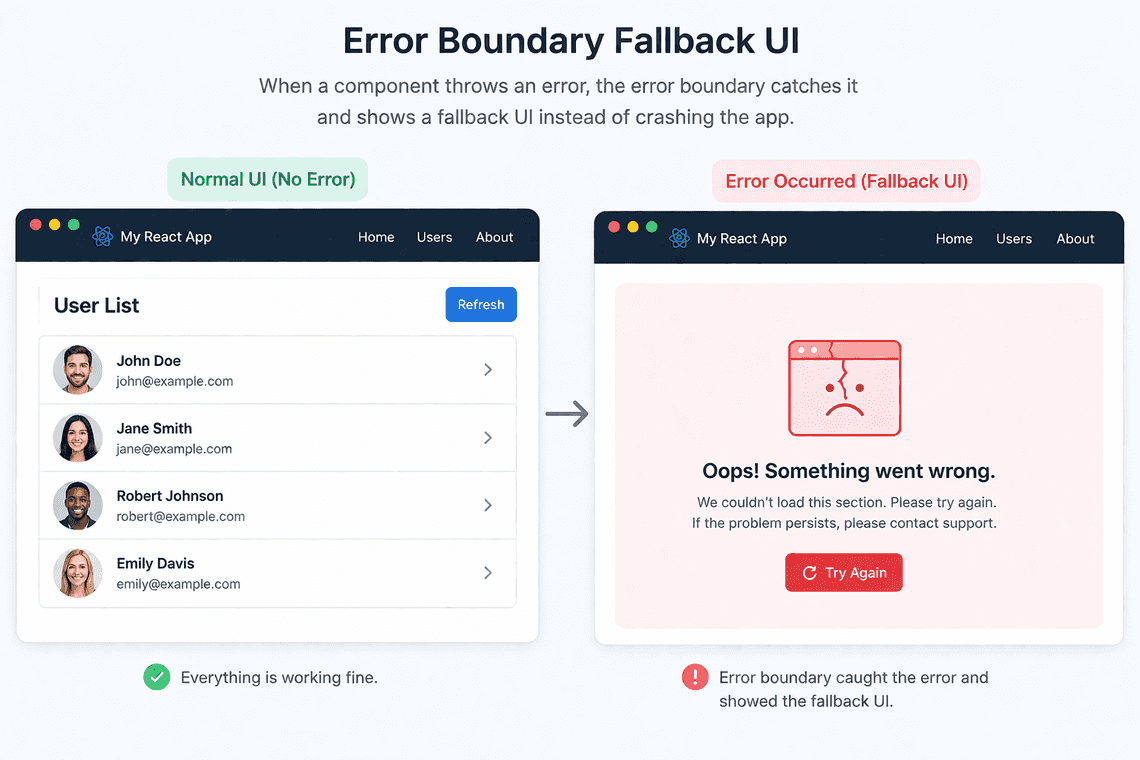
Error Boundaries
In real apps, prefer use react-error-boundary library.
npm install react-error-boundary
import { ErrorBoundary } from "react-error-boundary";function Fallback({ error, resetErrorBoundary }) {return (<div><p>Failed to load data: {error.message}</p><button onClick={resetErrorBoundary}>Retry</button></div>);}function App() {return (<ErrorBoundary FallbackComponent={Fallback}><UserList /></ErrorBoundary>);}
Handling Async Errors
Error boundaries only catch errors that happen during rendering.
Not in:
- Event handlers
useEffect- Promises or async code
To handle those, you can manually surface them to an error boundary using useErrorBoundary():
import { ErrorBoundary, useErrorBoundary } from "react-error-boundary";import { useEffect } from "react";function Users() {const { showBoundary } = useErrorBoundary();useEffect(() => {fetch("/api/users").then((res) => {if (!res.ok) throw new Error("Failed to load users");return res.json();}).catch(showBoundary); // send async error to ErrorBoundary}, [showBoundary]);return <div>User List</div>;}function Fallback({ error }) {return <div>{error.message}</div>;}export default function App() {return (<ErrorBoundary FallbackComponent={Fallback}><Users /></ErrorBoundary>);}