


Table Of Contents
Security in a production API is not a single feature.
JWT alone is not enough. CORS alone is not enough. Rate limiting alone is not enough.
A secure API uses multiple layers, where each layer protects against a different type of threat.
The goal is defense in depth: if one layer fails, other layers still provide protection.
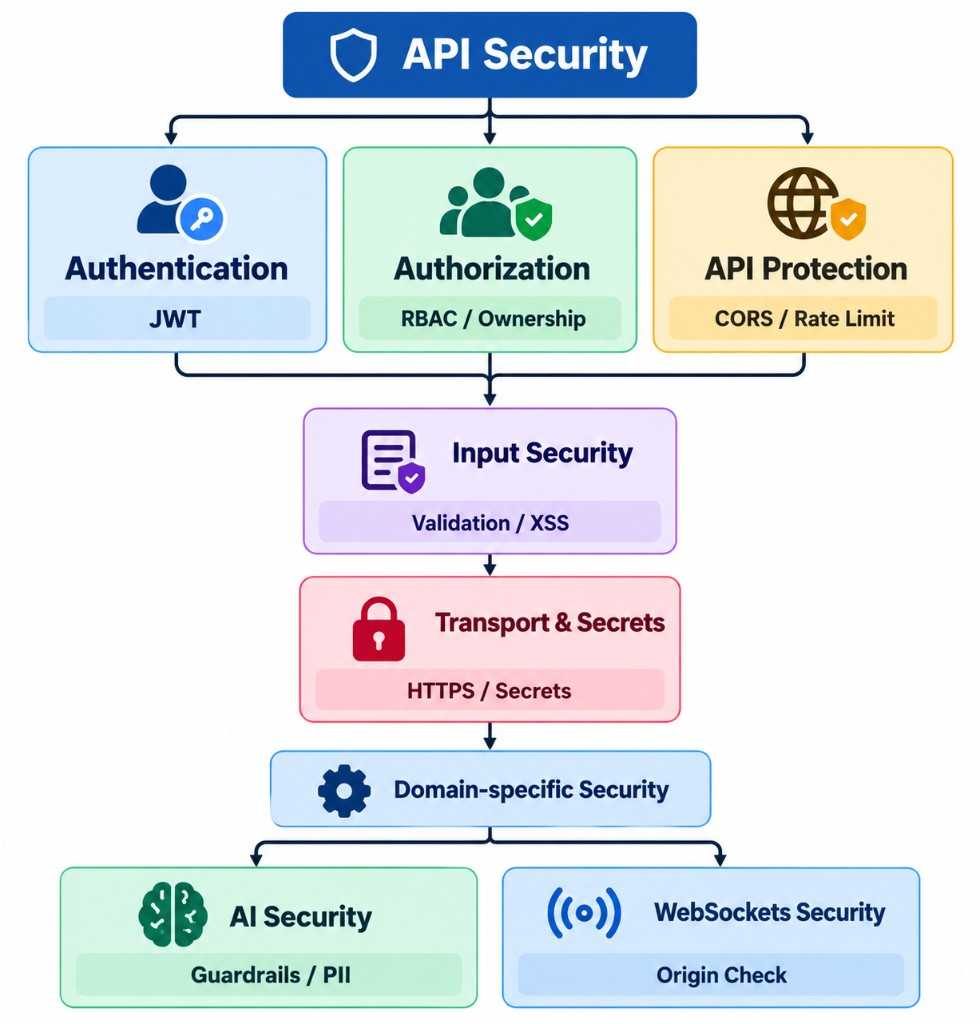
Auth
Authentication: Who Are You?
Authentication answers:
Who is making this request?
A common approach is JWT authentication.
After login, the server issues a token:
POST /login↓Validate credentials↓Generate JWT↓Return token
Authorization: What Are You Allowed to Do?
Authentication tells us who the user is.
Authorization tells us:
What is this user allowed to do?
For example:
Admin├── Create product├── Update product└── Delete productCustomer├── View product└── Create order
CORS
CORS controls which browser origins are allowed to access the API.
For example:
app.add_middleware(CORSMiddleware,allow_origins=["https://myapp.com"],allow_credentials=True,allow_methods=["*"],allow_headers=["*"],)
Avoid blindly using:
allow_origins=["*"]
Rate limiting
Rate limiting controls how frequently a client can call an endpoint.
For example:
100 requests / minute / IP
When the limit is exceeded:
429 Too Many Requests
A library such as SlowAPI can provide route-level limits:
@limiter.limit("100/minute")async def products(request: Request):...
Rate limiting helps reduce:
- Spam
- Brute-force attempts
- API abuse
- Excessive resource consumption
For sensitive endpoints such as login, password reset, or expensive AI endpoints, stricter limits are often appropriate.
Security headers
Middleware is useful for security concerns that apply across many or all requests.
Typical examples include:
CORSRate LimitingSecurity HeadersLoggingRequest IDs
For example:
@app.middleware("http")async def security_headers(request: Request, call_next):response = await call_next(request)response.headers["X-Content-Type-Options"] = "nosniff"response.headers["X-Frame-Options"] = "DENY"response.headers["Referrer-Policy"] = ("strict-origin-when-cross-origin")return response
The advantage is that individual routes do not need to repeat this logic.
Input Validation and XSS Protection
Security also starts with the input.
Pydantic
FastAPI uses Pydantic to validate request data.
For example:
class UserCreate(BaseModel):name: strage: int
An invalid value such as:
{"name": "John","age": "hello"}
will be rejected before reaching the business logic.
Validation helps ensure that application code receives data with the expected structure and types.
HTML sanitization
Validation does not automatically make HTML content safe.
If users are allowed to submit HTML, an attacker could attempt:
<script>stealSensitiveData()</script>
A sanitizer such as nh3 can remove unsafe HTML:
clean_content = nh3.clean(user_content)
HTTPS and Sensitive Data
Security also depends on protecting data outside the application logic.
HTTPS
HTTPS encrypts data while it travels between the client and server.
This protects sensitive information such as:
PasswordsJWTsPersonal informationPayment data
Production APIs should therefore be served over HTTPS.
Never expose secrets
Sensitive values should never appear in API responses:
❌ Passwords❌ JWT secrets❌ API keys❌ Database credentials
Passwords should be stored as secure hashes rather than plaintext.
Environment Variables and Secrets Management
Secrets should not be hard-coded:
JWT_SECRET = "my-super-secret-key"
Instead:
import osJWT_SECRET = os.getenv("JWT_SECRET")DATABASE_URL = os.getenv("DATABASE_URL")
This keeps secrets out of source code and Git repositories.
In containerized environments such as Kubernetes, secrets can be injected separately from application code.
However, Kubernetes Secrets are base64-encoded by default, not encrypted by default. Production environments should consider encryption at rest and dedicated secret-management systems such as cloud secret managers.
