

Table Of Contents
UI Update Cycle
React follows a simple but powerful loop:
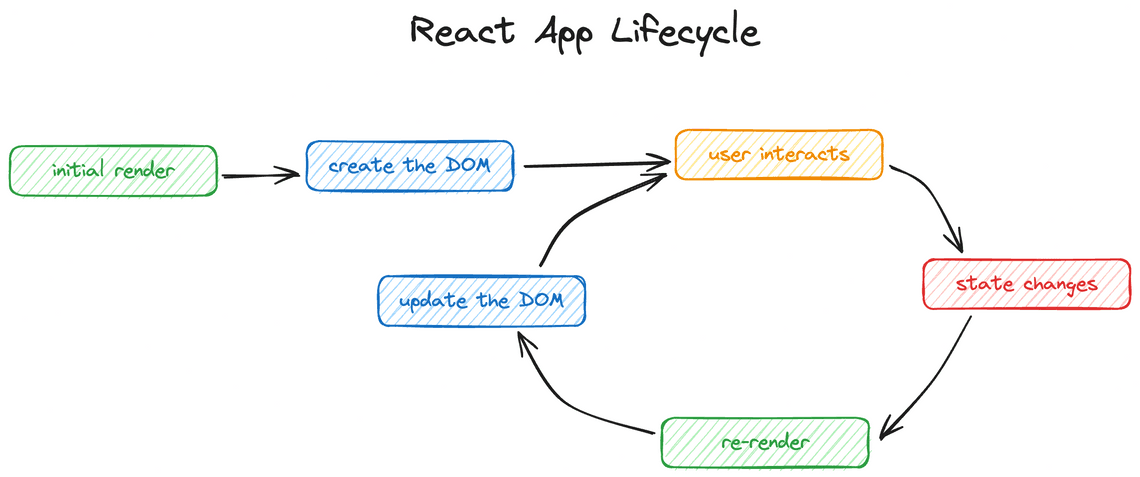
This cycle ensures the UI always reflects the latest state of the application.
In React, state is managed using hooks, which are special functions that allow components to:
- Store data
- React to changes
- Run side-effects
Common React Hooks
| Hook | Purpose |
|---|---|
| useState | Manage component state |
| useReducer | Manage complex state logic |
| useRef | Persist mutable values without re-render |
| useEffect | Handle side-effects |
| use | Consume async resources (experimental) |
Component Lifecycle with Hooks
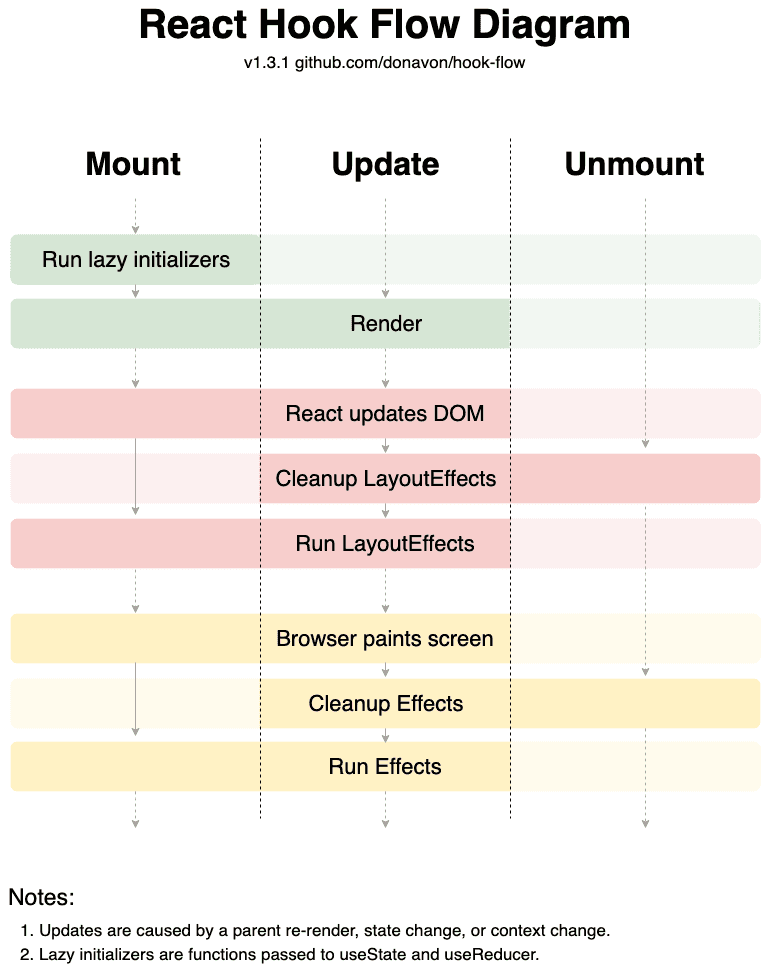
React components go through three main phases:
useEffect(() => {// your side-effect code here.// this is where you can interact with browser APIs for exampledoSomeThing()return function cleanup() {// if you need to clean up after your side-effect (like unsubscribe from an// event), you can do it heredoSomeCleanup()}}, [// this is where dependencies of your useEffect callback go// we'll talk about this in depth in a future exercise.// In this exercise, we'll just leave it as an empty arraydep1,dep2,])
1. Mount
- Lazy initializers run (
useState(() => initialValue)) - Component renders for the first time
2. Update
Triggered by:
- State changes
- Parent re-render
- Context changes
Sequence:
- Render phase
- React updates DOM
- Cleanup previous layout effects
- Run
useLayoutEffect - Browser paints
- Cleanup previous effects
- Run
useEffect
3. Unmount
- Cleanup all effects and layout effects
- Prevents memory leaks